Practical Information about Course Rooms

Welcome to a course room

Here you will find useful information about the room. If you can't figure something out or can't find it, feel free to call!

Wifi

To use Wifi in all branches of Forum Groningen, you need to sign up for Publicroam. This can be done in two ways, via the Publicroam app or SMS. 

SMS*
Would you prefer to connect without the app?

Step 1: Send an SMS with the word "publicroam" to +31 970 10 260 261.
Step 2: You will then receive an SMS with a username and password.
Step 3: On your phone, go to Settings > Wifi > select the network Publicroam.
Step 4: Enter the username and password you received via SMS.
Step 5: Click on trust for the Certificate.
Step 6: From now on, you have access to Wifi at all Publicroam locations.
Step 7: If you want, you can now also connect multiple devices (your laptop or tablet) to Publicroam.

*For an Android device, it is recommended to scan the QR code and download the app.

Materials, supplies & stock
On the table, you will find the basic materials you might need for a meeting and/or a course. A stock of meeting and writing materials can be found in one of the cabinets. Is the stock depleted or is something missing? We would love to hear from you.

Lighting
The lighting can be controlled via the panel next to the door. Besides on and off, there are three preset modes: 
1 = dimmed light / 2 = moderately dimmed light / 3 = full light 
Would you prefer to adjust the lighting yourself? This can be done using the adjacent buttons.

Using the Presentation Screen 
You can connect your laptop to the screen via the HDMI cable. Press the HDMI button on the panel under the screen. 

Using a Video Connection
Our course rooms are equipped with a smartboard presentation screen. This is a touch screen with a built-in Windows computer. The conference set is standardly connected to the computer. You can use all conferencing apps (such as Teams, Zoom, etc.) on it. This works plug-and-play when you use the PC (not when you connect your own laptop). 

Catering 
Have you booked a meeting package including lunch? Then it will be ready for you at 12:00 PM in restaurant NOK. The restaurant is located on the 10th floor. 

Need help?
If you can't figure something out, you can contact the information desk at 050 368 36 83. For questions about your catering, call 050 368 36 09.

Need a break?
Looking for a fun activity during or after the meeting break? Check out our agenda here. Want to stretch your legs? Take the escalators (or the elevator) to the 10th floor and get some fresh air on our rooftop terrace with a breathtaking view over the city and surroundings!

Score a cool gadget! 
If you want to take home a nice souvenir from your visit to the Forum, you’ll find great options at our Forumshop. Here you’ll find the coolest gadgets, knick-knacks, and gifts.
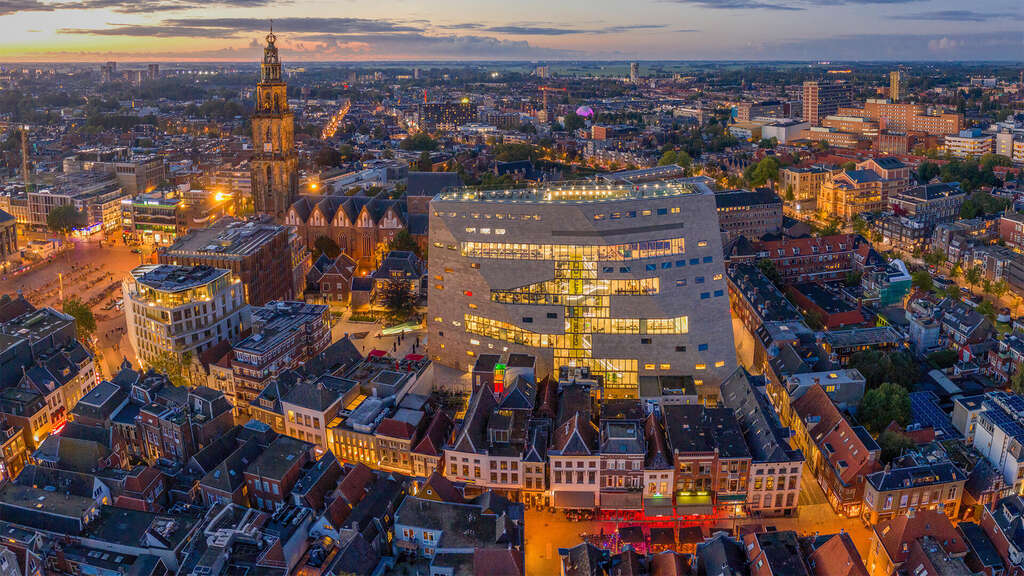
The ideal event location

The ideal event location

Forum Groningen is the ideal location for your event. Big or small, everything is possible!